Download the mods here:
 Virus Scan of files here:

This guide will show you how to download this, and will also give you all the information needed to set it up.
First unzip the files you have downloaded, then click on the readme and follow the directions for the first steps. Also, the file is protected by security, it's a short survey to make sure you are human.
Once you have installed that, Follow this guide on how to work the rebooter program.
It will just show you how to make sure all of your files are in the right folder.
The files that you will download are all batch files containing 1-5 links that will automatically open in internet explorer by using the batch file. After downloading all of these, run them and let the mods download. Once they are done follow the guide here on how to use the reboot program.
First of all you will need to BUY FF7 (English Version) if you don't have it.
For Example at Amazon.
DOING A MAXIMUN INSTALLATION OF FF7 IS A MUST!


Why US Version?
Bootleg does not support multi language at the moment. If you want to take the risk, you can, and it will work, but I will tell you now, do not cry if you have many crashes, because as I told you before it is supposed to be used on the English Version.
Works in any Windows?
Bootleg mods should work on Windows XP/VISTA/7 (32 & 62 Bits). You should not have any problems!
Free Space needed:
The installation requires a minimum 16GB of free space during setup.
The final installation is 7GB to 9GB depending on mod selection.
Well... Lets the tutorial begin!
1.-Download Bootleg last version (All credits to PitBrat & VGR)
2.-Open "Bootleg0036.rar" and extract it wherever you want.
(Example)
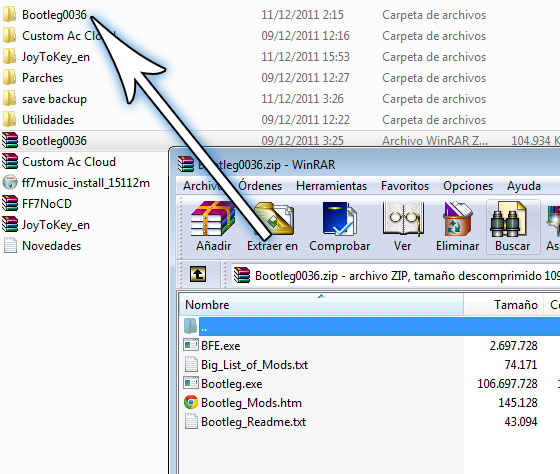
3.- After you extracted it;
(Thanks PitBrat)
Set Bootleg.exe to run as Administrator:
Right Click on Bootleg.exe
Select Properties
Go to the Compatibility Tab
Check Run this program as an administrator
APPLY
Now to start Bootleg, open BFE.exe
4.-Lets set up how do we want our FFVII.
You can set up your FF7 manually or use a preset clicking on "Presets" at the top bar.(I recommend clicking a Preset and then if you don't like something remove or change it, like I will show you)
I Like to use the "Full" preset.
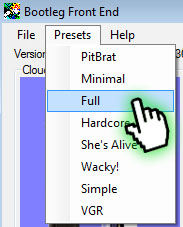
Original Full preset.
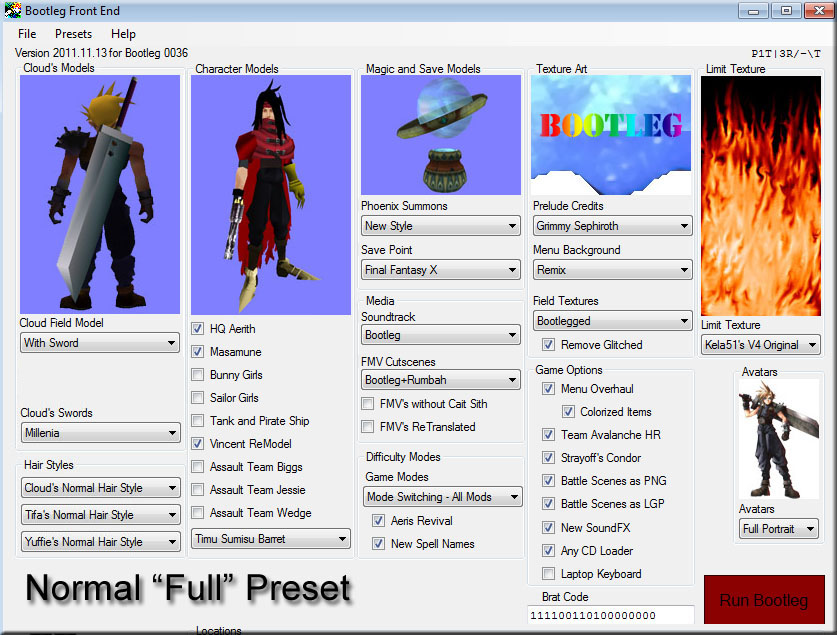
Then I change things that I dislike.

The arrows says what I have added/removed comparing with the original full preset.
(Anyway this modifies are up to you, this is just what I do suggest you)
5.- Now click at the top bar "File --> Mod List".
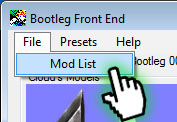
6.- You will see a big list with the supported mods of Bootleg, with their original files names:
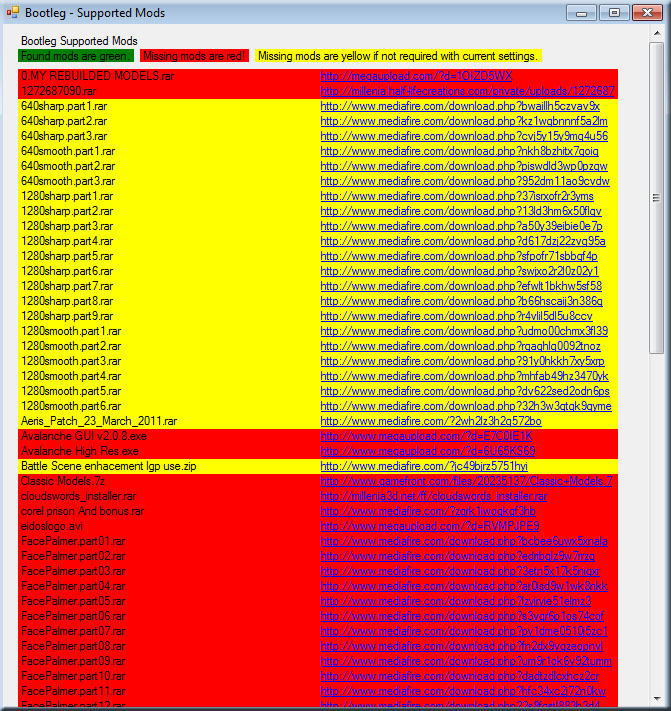
Why each file have different color?
GREEN: Files that are in this color are the mods that you already have.
|||||YELLOW: Files that are in this color are the mods that you do not require with the configuration you have set.
RED: Files that are in this color are the mods that you must have., you should not press "Run Bootleg" if you have any mod with this color.
7.- As you can see we do not have anything on green, that is because we have not downloaded any mods yet. Now take a look on the right of each file there is a link, each one is for downloading each mod.
You can also download them using this thread: The Big List of Mods (Credits: PitBrat)
START DOWNLOADING ALL THE MODS THAT ARE COLORED IN RED !!
- TIPS:
Place each mod you are downloading in the same folder as you extracted Bootleg.
Do not change the file name of the download, leave their exactly as they come.
Do not extract files that you think that can be extracted (*.zip *.rar files for example) Bootleg will automatically install them.
Be patient you will probably need to download around 10gb.
There are two versions of FacePalmer: FacePalmer.zip and the 20 FacePalmer.part??.rar files. You do not need both versions. (Thanks PitBrat)
There are two versions of Millenia's Cloud Swords: manual--1272687090.rar and automatic-- cloudswords_installer.rar. You do not need both versions. 1272687090.rar is recommended.(Thanks PitBrat)
8.- Now that you have downloaded all the files that are red colored.
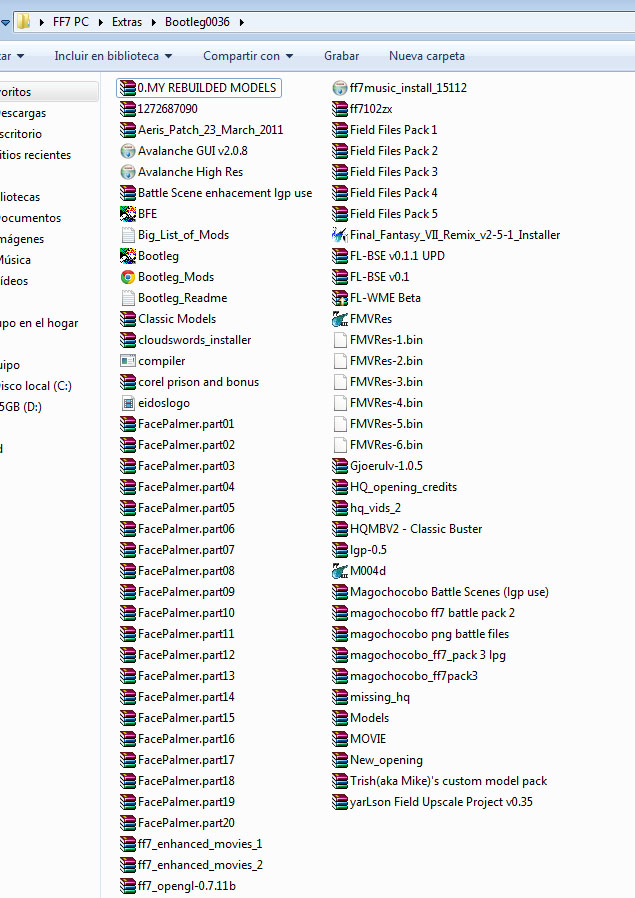
Your folder should look similar to this:
And the mod list that is in "File --> Mod List" similar to this:
...
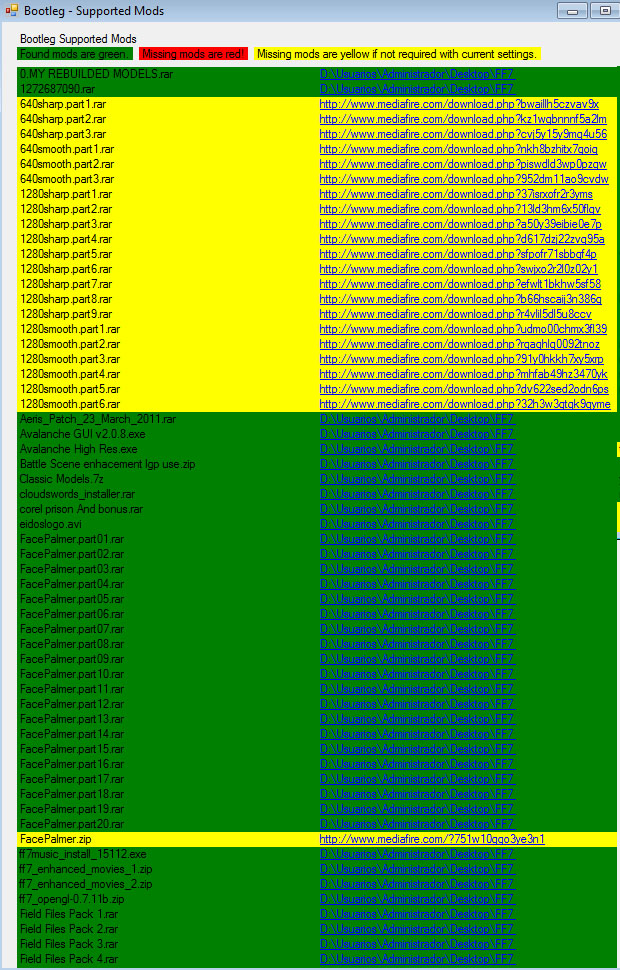
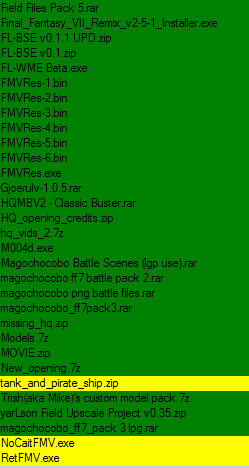
If you have something similar to the above Mod List screenshot, you are ready for the installation step.
If you have any questions please contact me at pure_claws@hotmail.com
Thank you.
